Crédit Agricole, Go to Home page
Frequently Asked Questions

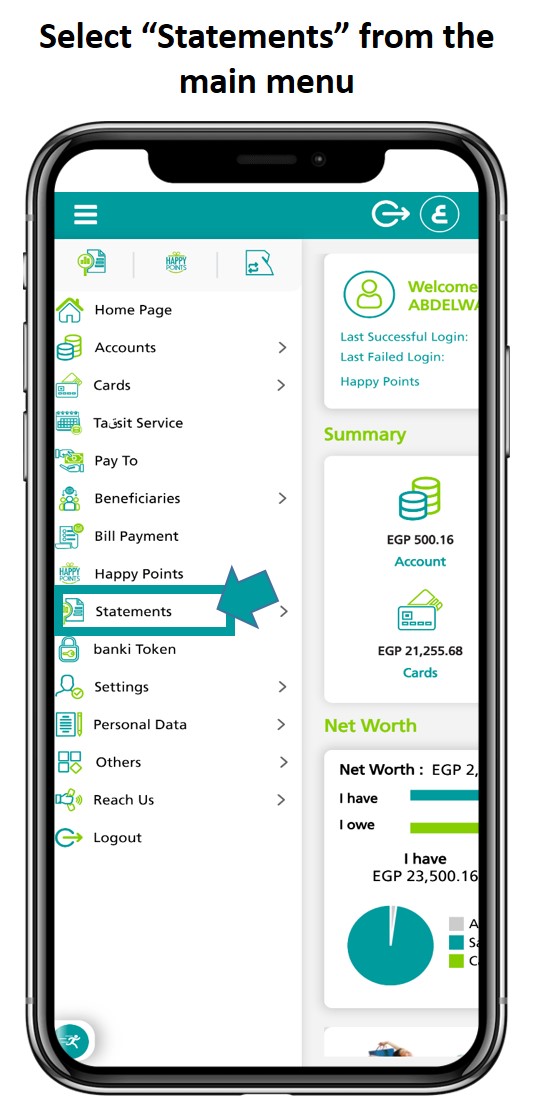
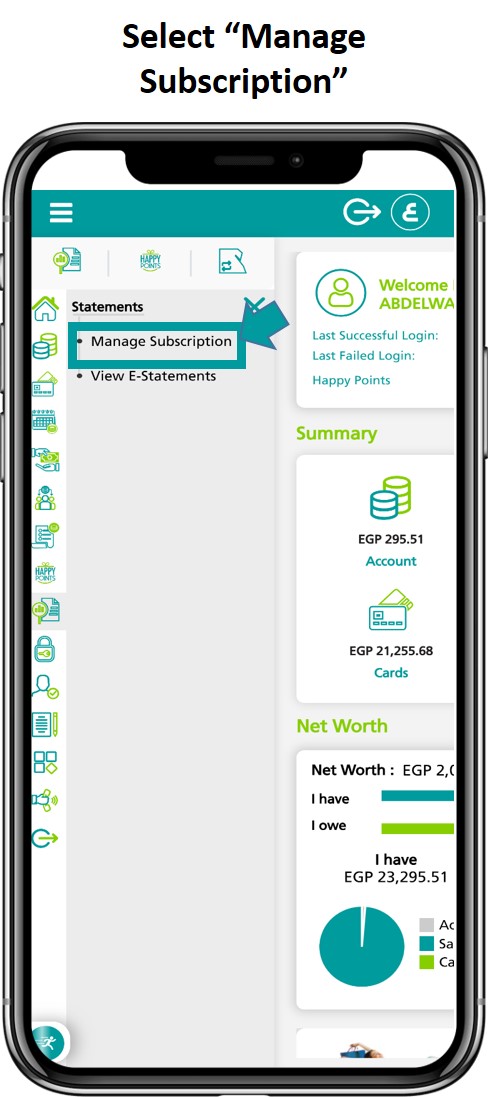
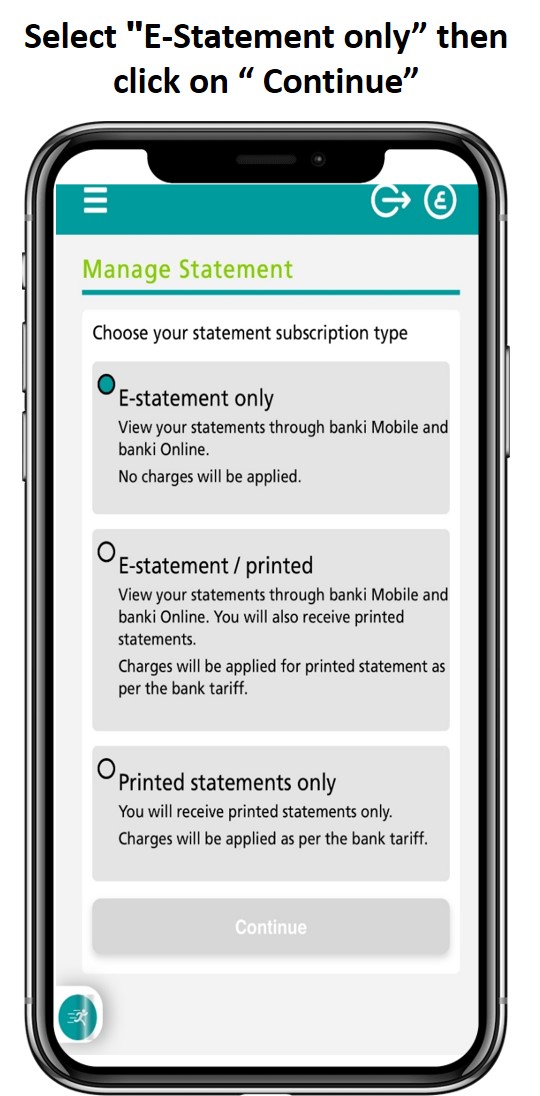
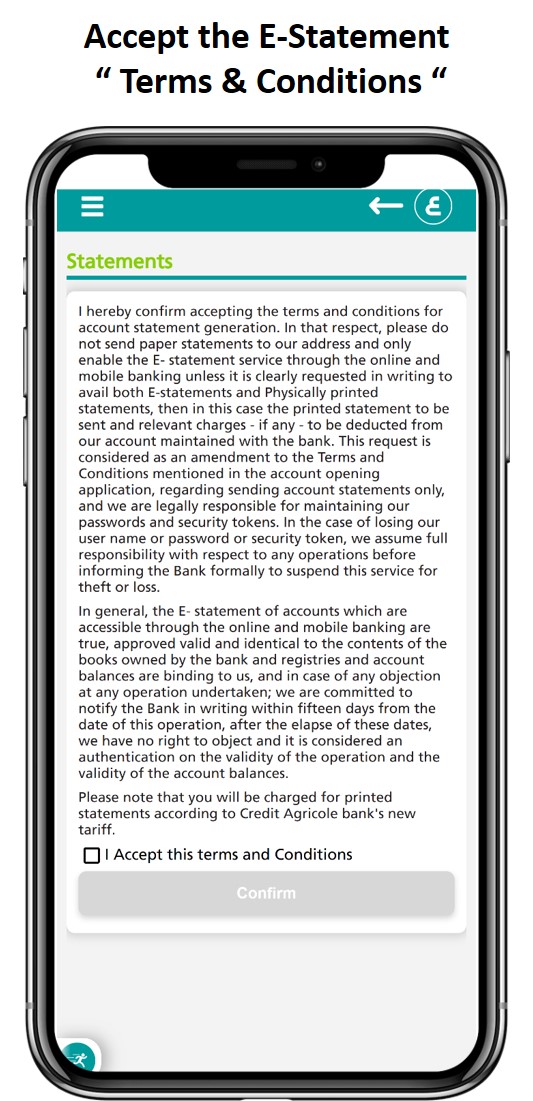
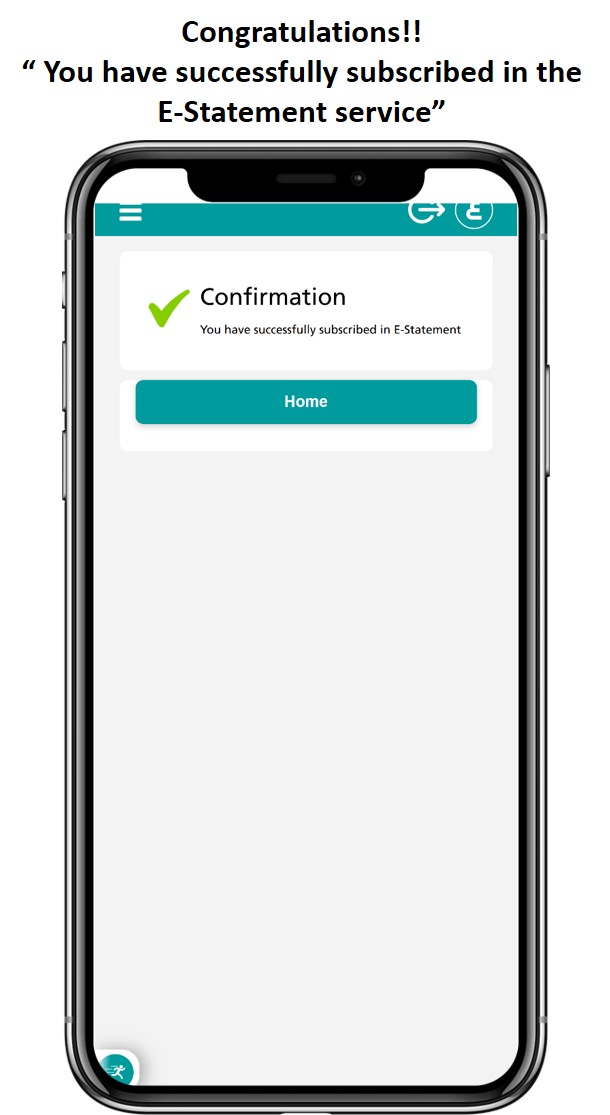
Subscribe in E-statement:
  • For credit card and personal account and avoid charging fees for issuing printed statements
  • For the E-statement Registration, click here

  • Transfer money from your account to your card. (no token needed)
  • To settle your credit card from your account on banki Mobile Click here 

  • This Transfer is free till further notice.
  • To activate your token Click here
Steps to transfer to other cards in other banks inside Egypt:
    1. Choose “Transfers/Payments”.
    2. Then choose “banks inside Egypt”.
    3. Click “from” and choose your account number.
    4. Then click “to” and choose “banks inside Egypt”.
    5. Then fill in all the required fields & add the card number in the account number field.
    6. Then add the amount.
    7. Press “continue” & choose transfer/payment reason.
    8. Enter the “TOKEN” & press confirm”.

Easily follow these simple steps:
  • click on “Forgot your PIN“ to retrieve/reset your PIN click here
E-Statement

Experience the convenience and security of the E-statement

E-Statement

Experience the convenience and security of the E-statement

Experience the convenience and security of the E-statement & Get the usual full details of your accounts & transactions online. It’s free!

Subscribe Now:

  • If you are not registered on banki Mobile, first follow the registration steps: Here
  • If you are already registered log on to your banki Mobile: (Login Here)
  • E-Statement Enrollment Request (Click here)
  • From the online banking page, click on the banner E-statement: